My CRTP Experience: Preparation, Lab, and Exam Review
CRTP Certified
I’m officially CRTP certified!
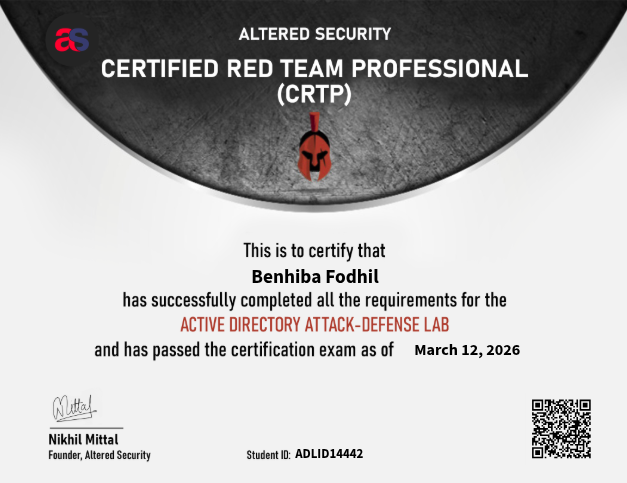
I would like to express my gratitude to Nikhil Mittal and the Altered Security team for delivering this great certification and course. The exceptional support they provided throughout the entire journey was truly impressive. Here is the link:
https://www.credential.net/9b36a171-479b-4885-b1c1-792528a07269#acc.ZcH7lUSE
What Is CRTP?
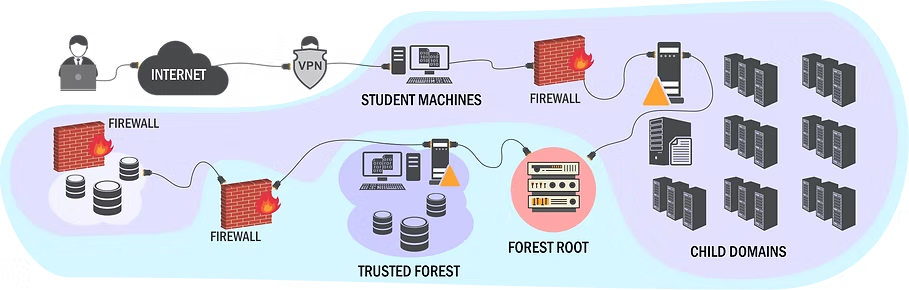
CRTP (Certified Red Team Professional) is a hands-on certification from Altered Security https://www.alteredsecurity.com/adlab, and it is beginner friendly for people getting into AD red teaming. The exam is 24 hours long in a patched enterprise-like AD environment with multiple domains and forests. The goal is to get OS level command execution on five target servers from the foothold machine.
What I liked is that the course is not based on old CVEs. It focuses more on abusing AD features and common misconfigurations in a realistic way.
Background
I started learning Active Directory in summer 2025. At that time, I was following the HTB Penetration Tester path and also doing HTB AD labs. That gave me a decent base before CRTP, so I did not start from zero. The new thing for me was attacking from a Windows host, because I was already familiar with attacking from a Linux host.
My Access Package
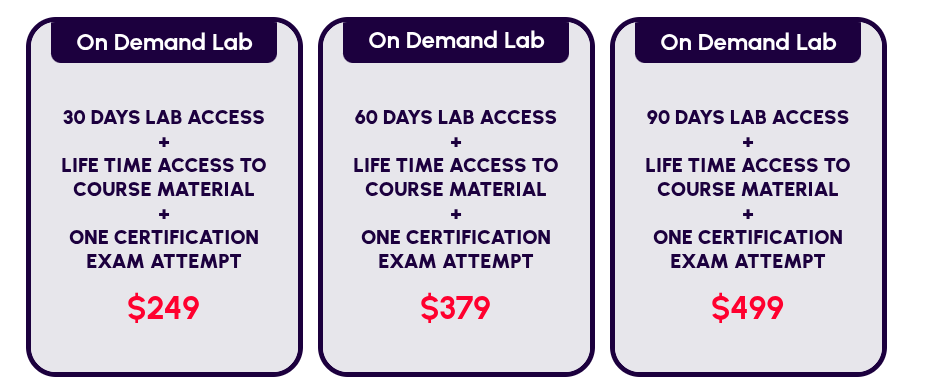
I did not buy the access myself. My team and I won a CTF, and they gave the CRTP prize to me because I was the most interested in this path. The prize included 30 days of lab access, lifetime access to the course material, and one exam attempt. There are longer lab options too, but for me, 30 days was enough as long as I stayed consistent.
This package usually costs $249, but there are other options:
Course and Lab Overview
The main course modules include:
- Active Directory enumeration
- Offensive PowerShell and .NET tradecraft
- Local privilege escalation
- Domain privilege escalation
- Domain Persistence and Dominance
- Cross trust attacks
- ADCS abuse
- Detection and bypass topics around MDE/MDI
The lab has 23 learning objectives and around 40 flags. You also get videos, slides, lab manuals, and walkthroughs. There is a lot of content, and it can feel heavy at first, but it is very practical.
How I Prepared
My preparation was simple. I watched the videos carefully and wrote detailed notes, especially for commands and attack paths. Those notes saved me later.
I started by viewing the course videos and taking notes. I was really motivated at the beginning, and it wasn’t too hard for me because I was familiar with some of the concepts. When I reached around 70%, I had to stop due to university exams.
After the exams, I resumed and completed all the course videos with detailed notes.
I wanted to start the lab, but first, I built a small home lab to practice some attack paths, especially to get familiar with the tools. As I mentioned, I had previous experience with AD attacks, but I had been performing the attacks from a Linux host. The CRTP focuses on executing attacks from a Windows host to better mimic a real red team scenario.
After that, I started my lab access.
Lab Experience
Some objectives were straightforward, but others needed patience and clean notes.
For a few of them, I rushed and checked hints from the walkthrough too early.
When I got the lab access, I was fully free, so I pushed hard and finished most of it in two days, working more than 8 hours per day.
After that, I went back to read the lab manual carefully to build a better methodology.
Then I watched how the instructor solved some learning objectives. Videos helped me a lot because not everything is explained in detail in the lab manual.
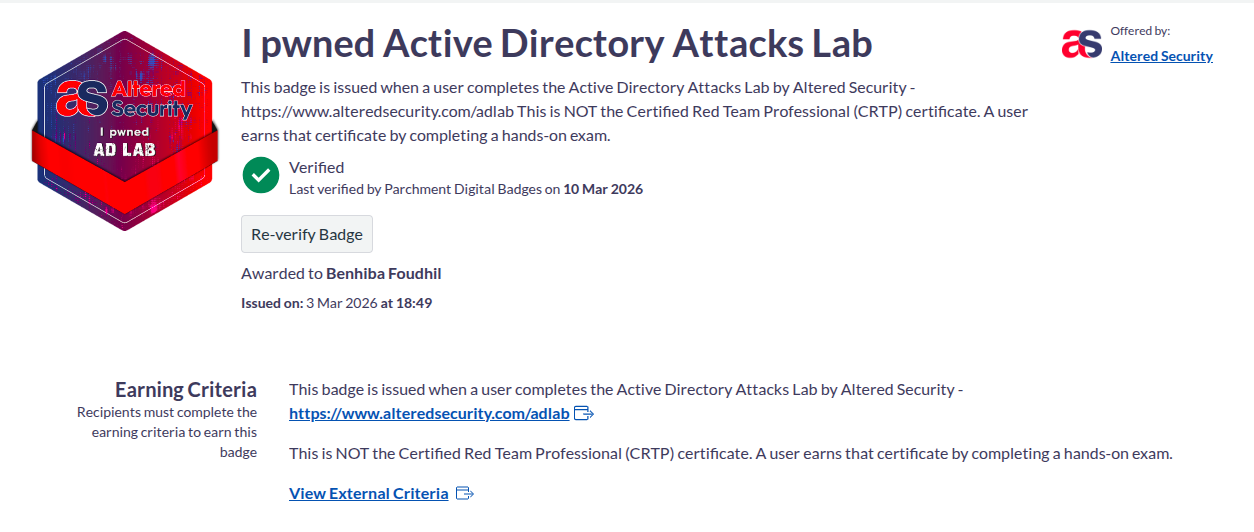
Here is the link to the achievement:
https://badges.parchment.eu/public/assertions/J8mc9AxmQ6CBRhlYf_LZyg
Exam Experience (24 Hours)

I started at 10:30 AM. The beginning was rough because I wasted almost four hours on a privilege escalation path after missing a small detail. After fixing that, the pace became much better.
Two targets felt easy, one was a bit tricky, and the rest were manageable. I got the final flag around 10:00 PM, then spent time organizing everything for the report.
I slept around 12:30 AM, woke up at 6:00 AM, and focused only on documentation. I submitted around 10:45 AM, which was about 40 minutes before the end of the 24-hour exam period. The report can be submitted up to 48 hours after the exam ends, but since I had time, I decided to focus on writing and submitting it right away.
Reporting
While solving, I kept taking screenshots, which helped a lot when writing the report. I only had to retake 4 or 5 screenshots that I missed during the exam.
Since it was my first certification report, I was definitely overthinking while writing it. My report ended up being 44 pages.
Another thing that added pressure was the long cooldown for retakes (more than a month), so I really wanted to pass on the first attempt.
I used this template for my report:
https://github.com/didntchooseaname/Altered-Security-Reporting
There is no official template, fixed pattern, or required structure publicly recommended by the Altered Security team, so feel free to use any format you prefer.
Results
- Exam Start: Sunday, March 8, 2026 at 10:26 AM UTC
- Exam End: Monday, March 9, 2026 at 11:26 AM UTC
- Report Submission Deadline: Wednesday, March 11, 2026 at 10:26 AM UTC
- Report Submitted: March 9, 2026 at 10:47 AM within minutes, I received a confirmation that the report was received.
- Result Email: March 10, 2026 at 1:04 PM I received a mail saying I had passed.
- Certification Email: March 12, 2026 at 10:01 AM I received the certificate.
Key Tips
- Get proper rest before exam day so you are ready for the full 24 hours.
- Make sure your toolkit is ready before you start. Keep your tools and notes prepared so you do not waste time during the exam.
- If you get stuck after trying everything, reboot the VMs, take a short walk, and always redo your enumeration.
- Enumeration is key in the exam.
- Take the exam on a non-working day so you can focus fully on it.
- Take screenshots of every successful step. Writing short notes while solving is highly recommended they will save you a lot of time when writing the report.
- For the report, there is no strict structure you must follow. Write it in your own style, but clearly explain the attack path, explain the commands you used, and include screenshots for each step.
Final Thoughts
CRTP was a very good learning experience for me. I still think it is beginner friendly, but only if you are ready to practice seriously and take good notes.
If you are starting Active Directory red teaming and want strong fundamentals, this certification is a solid choice.